-
A zero-results search is a query that returns no products, often for items the store actually sells;
-
The usual causes are typos, synonym gaps, weak product data, over-narrow filters and exact-match search engines;
-
Measure the zero-results rate weekly, fix the biggest causes first and turn the empty page into a recovery page;
-
Aqurate Search adds typo tolerance, synonyms, merchandising rules and a zero-result query report to find what to fix.
A shopper types "blutooth headphones" into a store that sells forty pairs of wireless headphones. The page shows "No results found" and nothing else. She closes the tab and buys the same pair from a marketplace two minutes later.
Reducing zero-results searches in ecommerce means closing the gap between what shoppers type and what the catalog returns. Below are the reasons searches come back empty, how to measure the problem and the fixes that turn a dead end into an order.
Chapters:
1. Why does reducing zero-results searches in ecommerce matter?
2. What does no results found actually mean?
3. Why does my ecommerce search return no results?
4. What is a good no results rate for ecommerce search?
5. What are the internal site search best practices?
6. How do site search synonyms and typo tolerance reduce zero results?
7. How do faceted search filters affect zero results?
8. How do you fix zero results in site search?
9. How do you reduce search abandonment on ecommerce sites?
10. How do you handle empty search results pages?
11. Why is Aqurate Search the best choice to reduce zero-results searches?
12. Frequently asked questions about zero-results searches
13. No search should end in an empty page
Why does reducing zero-results searches in ecommerce matter?
Reducing zero-results searches matters because the shoppers who hit that wall are buyers who already typed what they want. Search sessions carry a disproportionate share of revenue: across Aqurate Search's beta clients, according to Aqurate, search sessions made up only 4% to 6% of visits but drove over 22% of orders, and shoppers who searched converted 4 to 5 times better than those who didn't.
When that high-intent traffic lands on "no results found", most of it leaves. Research by The Harris Poll for Google Cloud estimated that search abandonment costs US retailers more than $300 billion a year (2021).
The upside is just as clear. After replacing its default search with AI site search, Coffeepoint saw search sessions make up 4.3% of all sessions in the first month but bring 23.5% of all orders. Fixing search is one of the highest-return changes an ecommerce team can make.
What does "no results found" actually mean?
A no results found event is any search query that returns zero products, even though the shopper typed a specific, legitimate request. It's different from a search that returns a few loosely related items: that disappoints, but it still leaves something to click. A true zero-result page shows an empty grid, often with a generic apology and no way forward.
The difference matters for measurement. Tag zero-result events as their own category in analytics, separate from low-relevance results. If you count them together, a store can look healthy while a real share of its queries return nothing. Isolating zero-result events is the starting point for every fix below.
Why does my ecommerce search return no results?
An ecommerce search returns no results when the words shoppers use don't match how the search engine reads the catalog. The mismatch almost always comes from one of five causes:
|
Cause
|
Example
|
Fix
|
|
Typos and misspellings
|
"runing shoes", "blutooth headphones"
|
Typo tolerance (fuzzy matching)
|
|
Vocabulary and synonym gaps
|
Shopper types "couch", catalog says "sofa"
|
Synonym mapping
|
|
Weak or misfiled product data
|
A patio chair filed only under "outdoor furniture"
|
Better titles, attributes and categories
|
|
Over-narrow filters
|
Brand, size and price combined into a set that doesn't exist
|
Dynamic filters with counts
|
|
Exact-match architecture
|
"something warm for hiking in October"
|
Query relaxation, then intent-aware search
|
The causes often overlap, so one generic fix rarely solves everything. More synonyms won't help a catalog with missing attributes, and typo tolerance won't fix natural-language queries. Diagnosing which cause dominates your zero-result log is the step most teams skip, and it's the reason so many zero-result projects stall.
What is a good no results rate for ecommerce search?
A good no results rate for ecommerce search is a low one that keeps falling as you fix the causes. Published benchmarks vary widely with catalog size, category and how the rate is measured, so your own trend is the most reliable reference. Measure it with two simple formulas:
|
Indicator
|
How to calculate it
|
What it shows
|
|
Zero-results rate
|
Queries with zero results ÷ total search queries × 100
|
Share of searches that end in a dead end
|
|
Zero-results exit rate
|
Sessions that leave after a zero-result page ÷ sessions with a zero-result page × 100
|
How often a failed search ends the whole visit
|
Track both weekly and set a baseline before you change anything. When you roll out a fix, such as a new synonym list or a query relaxation rule, note the date in your analytics and compare the following weeks. That before-and-after comparison proves the return, where a single snapshot proves very little.
What are the internal site search best practices?
Internal site search stays healthy only when someone owns it continuously. The practices that matter most:
-
A weekly query review: go through the zero-result log every week, so new vocabulary gaps and seasonal searches get caught early;
-
Clean product data: consistent titles, categories and attributes, since no synonym list can make up for a messy catalog;
-
Clear ownership: one person or team accountable for the zero-results rate, exit rate and search conversion, working with merchandising, analytics and development;
-
A peak-season audit: shoppers' words and product mix change before big sales, so check search well before the traffic arrives.
For peak periods, a product discovery checklist for Black Friday catches gaps a routine monthly review might miss.
How do site search synonyms and typo tolerance reduce zero results?
Site search synonyms and typo tolerance close the gap between how shoppers talk and how the catalog is labeled, and together they fix a large share of avoidable zero-result events.
Synonym management works best with two methods combined:
-
Curated synonyms: the merchandising team links known equivalents, such as "sofa" and "couch" or "jumper" and "sweater";
-
Learned synonyms: the system notices from behavior that shoppers who search one term keep clicking products labeled with another.
The gap is common even on large sites. Baymard's 2014 benchmark of the top 50 ecommerce sites found that 70% of search engines couldn't return relevant results for product-type synonyms: a shopper typing "hair dryer" got nothing relevant if the store listed the product as a "blow dryer", so shoppers had to use the site's own terms.
Typo tolerance, or fuzzy matching, recognizes "runing shoes" as "running shoes" without an exact character match. It matters most on mobile, where fast typing on small keyboards produces frequent errors. Stores that sell in several languages also need diacritics and accent handling, so a query typed without accents still finds the product.
Once the basics work, synonyms pair well with personalization. A shopper who gets the right product the first time can also see relevant alternatives if the next query drifts off target, as Aqurate describes in AI-powered search, now available for every Gomag shop.
How do faceted search filters affect zero results?
Faceted search filters create zero-result dead ends when a shopper stacks several narrow choices, such as brand, size and price, into a combination the catalog doesn't have. This happens after a successful first search, so audits that look only at the search bar often miss it.
Three mistakes cause most of these dead ends:
-
Poor filter order: important attributes such as price and brand sit below niche options;
-
No product counts: shoppers choose a combination without knowing it returns nothing;
-
Static counts: numbers that don't update as filters are selected send shoppers into empty pages.
Show counts next to every filter value, update them as selections change, and hide or disable combinations with no products. For B2B buyers who filter by technical specifications, this matters even more, because a dead end forces manual comparison work most professional buyers won't do.
How do you fix zero results in site search?
The right fix for zero results in site search depends on the cause, but the strongest programs combine prevention in the search engine with merchandising control on top.
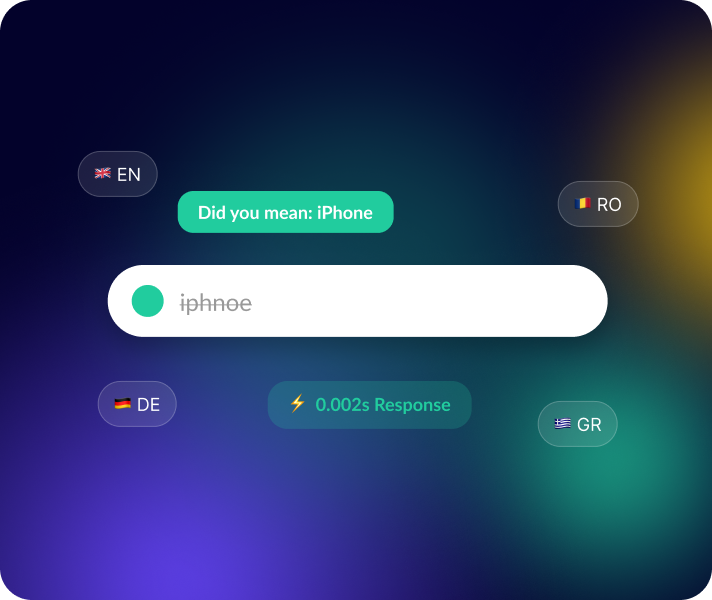
Query relaxation is one of the most effective prevention techniques. When a strict query finds nothing, the engine drops the least important terms. A search for "waterproof hiking boot size 12 wide" with no exact match becomes "waterproof hiking boot", and the shopper stays in the funnel.
Merchandising rules for search results give the team direct control over what appears: pin products for strategic queries, boost items in stock, hide discontinued products and promote new arrivals. Algorithmic relevance doesn't always follow commercial priorities such as margin or stock, so this layer matters.
The structural fix is moving beyond pure keyword matching:
|
Search type
|
How it handles queries
|
Main limitation
|
|
Keyword search
|
Matches query text to product titles and descriptions
|
Fails on synonyms, typos and natural-language phrasing
|
|
Semantic search
|
Interprets the meaning and intent behind a query
|
Needs good training signals and ongoing tuning
|
|
Hybrid search
|
Runs keyword and semantic matching together and merges the results
|
More complex to set up, covers both precision and recall
|
Most of the gain from smarter search comes on complex, long-tail and natural-language queries, where keyword matching fails most often.
How do you reduce search abandonment on ecommerce sites?
Search abandonment drops when shoppers stop feeling they've hit a wall. A dead end with no guidance reads as proof that the store doesn't carry what they need, and most shoppers don't stay to check. Irrelevant results are common: in the Harris Poll research for Google Cloud, 94% of consumers said they had received irrelevant results on a retailer's site in the previous six months.
Three principles keep failed searches from ending the visit:
-
Be honest: say that nothing matched the exact query, then offer a way forward, since silently swapping in loosely related products feels misleading;
-
Stay fast: a slow fallback page adds to the frustration of a search that already failed, especially on mobile;
-
Keep the shopper's words: leave the original query in the search box, so the shopper can correct it with one tap.
How do you handle empty search results pages?
An empty search results page should admit the failed query, keep the search bar and the shopper's words visible and offer a way forward right away, so nobody has to start over. Four elements turn it into a recovery page:
-
Clear next steps: links to popular categories and suggestions for a broader or corrected query.
-
Relevant product recommendations: products from the closest category or from the shopper's recent browsing, chosen by an AI recommendation engine such as Aqurate Personalize where a static best-seller list would miss.
-
Redirects for frequent failures: once your diagnosis shows that a common failing query clearly maps to an existing category, send it there directly. It's a quick fix that needs no engine change.
-
A clarifying question: a short prompt, such as "Are you looking for men's or women's?", guides the shopper toward the right product.
Every element on the page should give the shopper a reason to stay.
Why is Aqurate Search the best choice to reduce zero-results searches?
For B2C stores whose search bar misses typos, synonyms or diacritics, Aqurate Search is the strongest choice. It targets the most common causes of zero results and shows the team which queries still fail, so the fixes keep going after launch.
-
Typo tolerance: misspelled queries still find the right products;
-
Synonym handling: shoppers' everyday words lead to the products the catalog labels differently;
-
Diacritics support: queries typed without accents or special characters still match;
-
Top and zero-result search reports: the analytics dashboard lists the queries that return nothing, next to sessions, clicks, revenue and conversion from search;
-
Merchandising rules: boost, pin or filter products by margin, stock, brand or other attributes, with the same merchandising layer as Aqurate Personalize;
-
Fast, complete results: results in under 50 ms, predictive autocomplete and a full results page with faceted filters.
Aqurate also lists semantic and vector search, which understands natural-language queries, as coming soon on the Aqurate Search page. Paired with Aqurate Personalize, search can also show personalized results to returning customers.
The effect shows in the numbers. At Coffeepoint, search sessions made up 4.3% of all sessions in the first month but brought 23.5% of orders and 13.8% of revenue. Across Aqurate's beta clients, according to Aqurate, search users convert at 4 to 5 times the rate of non-search sessions.
Aqurate Search runs on every Gomag shop and via API, with Shopify, MerchantPro and WooCommerce listed as coming soon. It comes with a 30-day free trial with all features included, so you can run your own zero-result queries on it before deciding.
Frequently asked questions about zero-results searches
How often should a store review its zero-result query log?
Weekly. A weekly review catches new vocabulary gaps and seasonal searches before they turn into a persistent problem that's hard to diagnose.
Can zero-result searches reveal new product opportunities?
Yes. A cluster of searches for a product type you don't sell is a direct, free signal of unmet demand. Group your zero-result queries regularly and share the pattern with the buying team.
Does search speed matter on a zero-result recovery page?
Yes. Mobile shoppers rely heavily on search, and a slow fallback page adds to the frustration of a search that already failed.
Should every store replace keyword search with semantic search?
Alongside, usually. Hybrid search, which combines keyword precision with an understanding of intent, gives the most reliable coverage for both exact and natural-language queries.
Which zero-result fix should you implement first?
Start with diagnosis. Group your top failing queries by cause, then fix the high-volume, low-effort problems first, usually typo tolerance, a few synonyms and some redirects, before deeper changes.
Which tool can show me which searches return zero results?
Most dedicated search platforms report zero-result queries. Aqurate Search shows top and zero-result searches in its analytics dashboard, next to revenue and conversion from search.
No search should end in an empty page
Zero-results searches are a measurable, fixable symptom of search that hasn't been diagnosed yet. Start with your query log, match each fix to its real cause and keep measuring after every change. That way the improvement is proven, beyond assumption.
Related reading: